
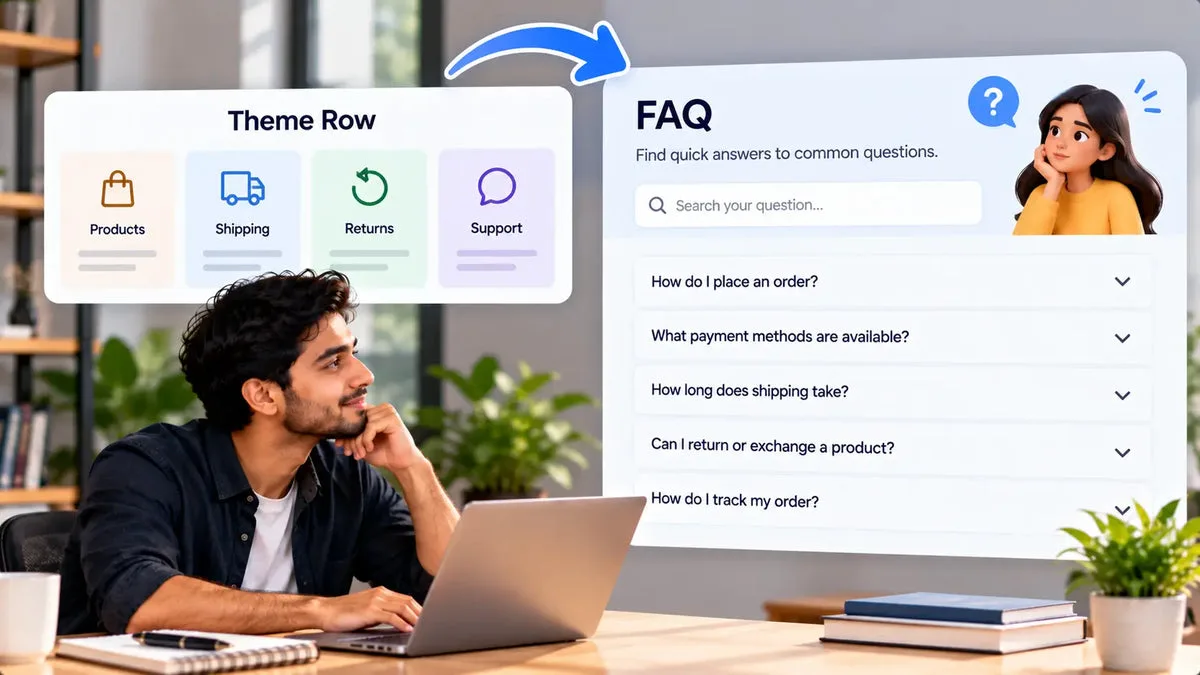
A theme accordion is enough when you have a few hand-written questions and someone on the team will edit them in the theme. A Shopify FAQ app is the other tool when the list has to be generated, assigned to products, searched, measured, or exposed as FAQPage JSON-LD. Product FAQs for AI Crawler is that second tool. It is another app on the store, with a monthly creation limit under Shopify Managed Pricing. The feature catalog does not publish the number or a price. Read both on the plan screen before you treat the app as free work.
Keep the theme row if the job is five answers on a single page and they rarely change. Move to the app when the same answers must stay attached to the right products, when you want a draft from the description, or when you need to know which groups shoppers open. Installing both and pasting the same questions into each is how the page ends up with two accordions that drift apart.
What the theme accordion already does
Most Online Store 2.0 themes include a collapsible row or an accordion section. You type a heading and a rich-text answer, and the theme shows it on that template. There is no generation step, no product metafield managed by an FAQ app, and usually no search inside the rows. There is also no leaderboard of impressions. The advantage is simplicity. The content lives in the theme, the page weight is the theme's, and you are not paying for a workflow you will not use.
The limit shows up when the catalog grows. A collapsible row on the product template is the same text on every product unless you use dynamic sources or separate templates. Merchants then either maintain many templates or accept that the linen shirt and the wool coat share one care answer. That shared answer is the one that creates returns. A theme row also will not, by itself, emit the FAQPage JSON-LD this app emits. Some themes add their own structured data. Many do not. Check the page source before you assume the theme already did it.
What the app adds
The app stores groups with a name, category, tags, status, template, pagination, and any number of question and answer pairs. You assign products in Shopify's resource picker, or you leave products empty for a shop-wide group. The product block reads the product metafield. The page block shows the global group. An app embed loads the script. On save, the storefront copy is the metafield. Display does not call the app. Analytics does.
- Drafts: from title, description, vendor, and type, or from a description, editable before save.
- Assignment: product pages or a shop-wide group, not one block of text on every product.
- Search: a widget box that filters question and answer text. It is not store product search.
- Analytics: impressions, interactions, an interaction rate, a daily graph, and a top-10 list. An open is not an order.
- JSON-LD: FAQPage in the light DOM, outside the widget shadow DOM, from the FAQ data.
Layouts are Accordion, Grid/cards, Boxed, and Minimal, chosen per block. The widget uses a shadow DOM so theme CSS is less likely to restyle it. That isolation does not copy the theme font. A theme accordion will match the theme more closely, because it is the theme. Pick the theme when visual match is the whole requirement and the list is short.
Price, limit, and migration
The catalog enforces a monthly creation limit on manual and AI creation, and it shows an upgrade prompt when the limit is reached. It does not publish a product cap or a dollar figure. Any number you remember from a screenshot needs to be checked on the plan screen the day you decide. A theme accordion has no app charge. It costs editing time instead. For a handful of answers, that time is smaller than an app workflow.
Migration is a copy, then a removal. Create the groups in the app, assign products, place the blocks, and compare the storefront with the old accordion. When the new answers match, remove the theme rows so shoppers do not see duplicates. If the theme rows were the only structured data, confirm the app's FAQPage is in the page source before you delete them. Google's Search Central changelog says FAQ rich results are no longer shown in Google Search, so you are keeping the markup for crawlers that can read it, and for consistency with the visible text, not for a rich-result dropdown.
A store that should skip the app
Skip the app when you have one help page, the answers are short, and a person already updates the theme. Skip it when you will not review AI drafts. The generator can sound sure about a measurement the description never stated, and there is no accuracy score. A theme row you typed yourself at least started from a sentence you wrote.
Use the app when product questions differ by item, when you want search on a long FAQ, or when you want impressions and opens so you know what to rewrite. Use it when you want the FAQPage JSON-LD emitted with the widget rather than pasted by hand. Then keep a single source. The theme row and the app should not both answer the same question in different words.
JobTheme accordionFAQ app
A few hand-written answers
Fits
Optional
Different answers per product
Hard without many templates
Product assignment
Search, analytics, AI drafts, FAQPage JSON-LD
Not the usual theme row
Documented in this app
Questions about the theme and the app
Should I remove the theme accordion?
Remove it after the app shows the same answers you want to keep, so the page does not list two versions.
Does the app match my theme automatically?
The widget is isolated in a shadow DOM, which reduces CSS clashes. It does not copy the theme font. A native theme row will look more like the theme.
Where do I see the price?
On the plan screen in the app. The feature catalog documents a monthly creation limit and does not publish the number or a price.
The listing is Product FAQs for AI Crawler.
If the list has outgrown a theme row, compare the workflow on Product FAQs for AI Crawler. If it has not, leave the theme accordion in place and spend the time on the sentences.