
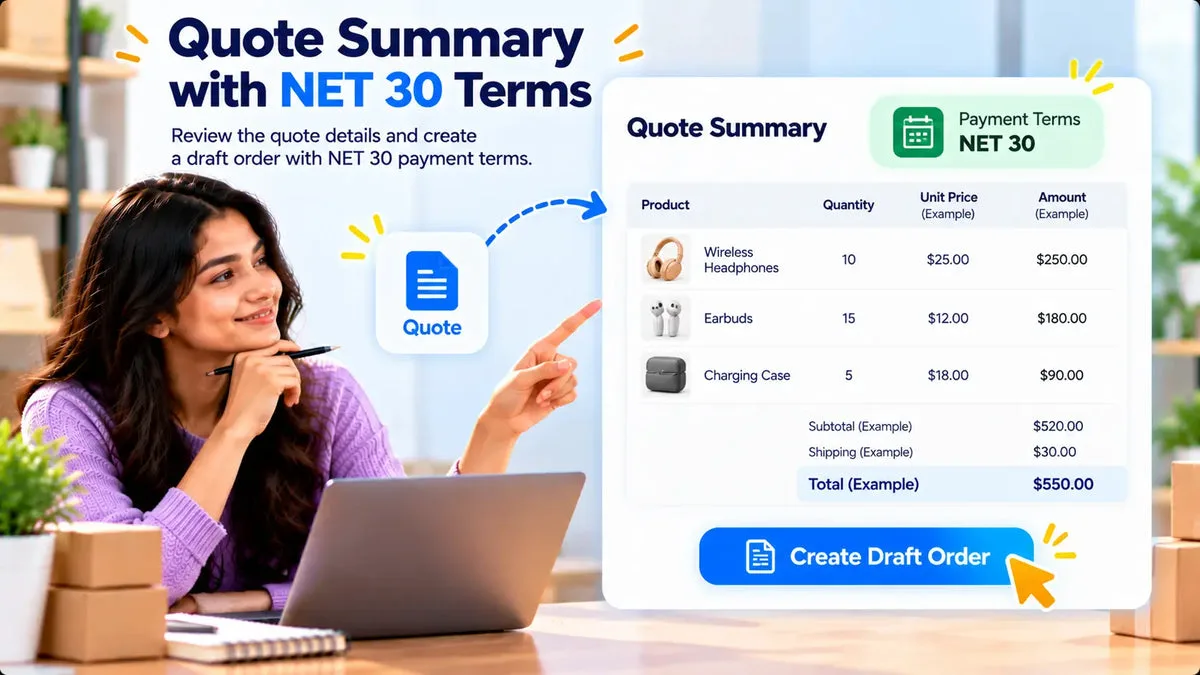
A buyer who expects NET 30 can get that term on a Shopify draft order created from the quote, not as a card charge in the retail cart. Request a Quote and Hide Price converts a quote to a draft order with tax lines, shipping lines, a deposit-and-balance schedule, and one of five payment terms: NET 7, NET 15, NET 30, NET 60, or NET 90. The app is fully free in the catalog.
Those five terms are the ones the catalog names. Use the term you select in the admin. NET 30 is one of them, and it is the term many wholesale buyers ask for by name. The catalog does not add a sixth unnamed term.
Put the term on the draft order, not on the public cart
The storefront cart is still a retail checkout unless you have built something else. The quote path is different. The buyer requests a price, you negotiate if you need to, and you convert the quote when the number is accepted. Conversion finds or creates the matching Shopify customer, carries over tags you set, applies a fixed or percentage discount, and adds shipping and tax lines.
The app builds that draft order through Shopify’s REST Admin API or GraphQL, depending on whether the draft needs deposits or NET terms. You do not retype the line items into a new order by hand. You still open the draft and read it before anyone is invoiced.
- NET 7: payment due seven days out on the draft order.
- NET 15: payment due fifteen days out.
- NET 30: payment due thirty days out.
- NET 60: payment due sixty days out.
- NET 90: payment due ninety days out.
Pick the term the buyer and your finance team already agreed. A quote PDF can show the commercial offer. The payable terms live on the draft order you create from that quote.
Add a deposit when the term is not the whole story
Some buyers pay part now and the balance on terms. The catalog supports a deposit-and-balance payment schedule on the draft order, together with the NET term. Set the deposit you actually want collected, then the balance that follows the term.
A NET 30 example looks like this. A trade buyer accepts a quote for a fixture order. You convert it, apply the agreed discount, add shipping and tax, set a deposit if your terms require one, and set NET 30 on the balance. You open the draft in Shopify admin, confirm the customer, the lines, the discount, the shipping, the tax, and the due term, and only then send Shopify’s draft-order invoice email. The app can send that invoice email to the customer.
The catalog does not say the app stores a card and charges it on day 30. Collection stays with the draft-order invoice and the payment method the buyer uses there. If your finance team records the receivable in another ledger, that ledger is still yours to update.
What you still confirm outside the conversion button
Conversion writes the draft. It does not replace a check of who is allowed to buy on terms. Company records in this app can store a credit limit, a tax ID, and a VAT-exempt flag. The catalog does not say a credit limit blocks the draft from being created. Someone on your team still decides whether this buyer should receive NET 30.
Tax and shipping are lines on the draft. Read them. A VAT-exempt flag on the company record is a field you can store. Confirm that the draft’s tax lines match the exemption you intend before the invoice goes out.
If the buyer countered and you accepted, the negotiated total is applied as a discount so the quote recalculates on the PDF, the edit page, and the portal. Convert after that acceptance, so the draft uses the figure you already agreed. Converting an older total and then editing terms in a hurry is how NET 30 ends up on the wrong amount.
Match the term to the account, then to the draft
NET 7 suits a buyer you already know and a small balance. NET 30 is the term many distributors name in their vendor form. NET 60 and NET 90 tie up more cash, so they belong on companies whose credit limit, in your own records, can carry the open quotes already on that account. The app stores a credit limit on its company record. It does not block the draft when the new total sits above that figure. The choice of 7, 15, 30, 60, or 90 is still a person selecting one of those five.
A deposit changes the conversation. You might take part of a made-to-order job before production and put the rest on NET 30. Enter that split as the deposit-and-balance schedule, then read the draft so the deposit, the balance, and the term are all visible before the invoice email goes to the buyer. If finance uses a different due date than these five, the catalog does not give you an extra term to select. Agree a date you can express with one of the five, or handle the exception outside this list.
A short check before the invoice email
- The quote status is the accepted quote you mean to bill.
- The term is one of NET 7, 15, 30, 60, or 90, and it matches the email you sent the buyer.
- Any deposit and the remaining balance are the amounts finance approved.
- Discount, shipping, and tax lines match the quote.
- The customer on the draft is the company contact who should receive the invoice.
Quote statuses in the app run through Pending, Opened/Sent, Sent, Accepted, Rejected, and Ordered. Convert from the accepted quote, then mark the operational follow-up your team uses once the draft exists. Sending the invoice is a separate action from creating the draft.
Questions about NET terms on a quote
Which NET terms can the draft order use?
The catalog names five: NET 7, NET 15, NET 30, NET 60, and NET 90. NET 30 is included. There is not a sixth unnamed term in that list.
Does the app charge the card when the term ends?
The catalog documents the term and an optional deposit-and-balance schedule on the Shopify draft order, plus the draft-order invoice email. It does not document a stored card that charges itself on the due date.
Can I set NET 30 before the buyer accepts?
You can prepare the quote, and you should convert after the accepted total is the one you intend to bill. Accept a counter-offer first when the price changed, so the discount on the quote is the number that moves to the draft.
Use NET 30 when that is the term you will honor, and read the draft before the invoice goes out. Setup for the quote flow is on the Request a Quote and Hide Price page. The listing is Request a Quote and Hide Price.