
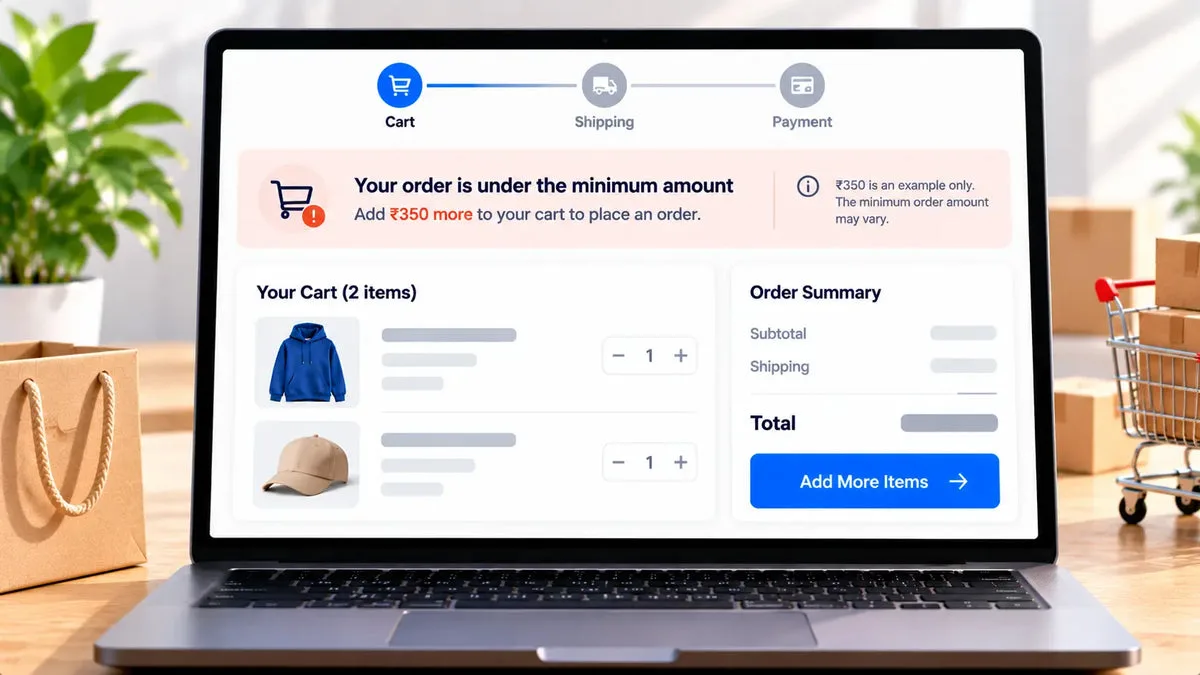
A Shopify minimum order amount stops a checkout that is too small to cover picking and shipping. SK Checkout Customizer documents that limit as a validation function: a cart-total minimum, a cart-total maximum, or both, with the block applied inside Shopify’s checkout. You write the message shoppers see when the cart fails the rule.
The catalog does not say this function is Plus-only. It also does not say every Shopify plan can run it. Shopify Functions operate in a checkout extensibility context. Before you put the minimum on a banner or in a wholesale email, add the function on your store and try a cart under the limit. If the editor will not accept the validation, the rule is not live, whatever the app’s free price suggests.
Pick a threshold that matches the loss
One-item orders hurt when the shipping label costs more than the margin. The right minimum is an amount you can explain, not a round number copied from another brand. Add the typical shipping subsidy, the packaging, and the payment fee you refuse to lose, then round to a figure customers can remember. The numbers in this article are examples. A 40 minimum in one currency is not a recommendation.
The catalog describes the check as a cart total. It does not publish a separate formula for discounts, gift cards, tax, or shipping. Test a cart that uses a discount code and a cart that includes a gift card. Read whether the notice appears. Do not tell customers the minimum ignores gift cards unless that test shows it.
Wholesale-friendly stores in the US, UK, Canada, and the EU often want the floor only for company buyers. The validation can be restricted to B2B or company buyers. Retail carts can stay unlimited while a company cart must clear the minimum. That restriction is in the catalog. A different minimum per market is not. Do not promise a market-by-market floor this function does not document.
The message shoppers see
Write the notice in the same language as the checkout, and name the amount. “Add a little more to check out” is vague. “Orders under 40 cannot be placed” is specific, if 40 is your real floor and you have confirmed the currency. Keep the sentence short enough to read beside the pay button.
- Minimum: checkout is blocked when the cart total is below the amount you set.
- Maximum: checkout is blocked when the cart total is above a ceiling you set.
- Custom message: the words on the blocked checkout come from you.
- B2B only: optional, so the rule can apply to company buyers and leave retail alone.
The function is server-side. A shopper cannot dismiss it by editing the page in the browser. That is the point of a Shopify Function. It is still only as good as the test you run on the plan you sell on.
Maximum orders
A ceiling is the same function, used when a cart is too large for the way you fulfill. A small warehouse might refuse a 200-unit checkout that should have been a quote. Set the maximum only if you will actually reject that order. A ceiling you override by phone every week trains buyers to ignore the notice.
A maximum does not create a wholesale quote. If the large order should become a negotiated price, send the buyer to a quote form. The quote app is a different product. This validation only blocks checkout. It does not open a negotiation, apply a discount, or write payment terms.
What the limit does not do
The rule does not discount the cart, hide a price, or change the shipping rate. Those are other jobs. The free-shipping progress bar, if you use it on a Plus checkout, is a message about a reward. The minimum validation is a hard stop. You can use both only when the story is coherent: the bar can encourage a larger cart, and the validation can refuse a cart that is still under the floor. If the two amounts disagree, shoppers will trust neither.
There is no A/B test and no revenue report for the block. You will see blocked checkouts as people who did not order. Compare order counts and average order value in Shopify admin for a period with the rule and a period without it, if you need to know whether the floor helped. Do not invent a recovered-revenue figure inside this app.
How to test a cart under the limit
Set an example floor you can reverse, add one inexpensive product, and go to checkout. You should see your message and you should be unable to place the order. Add enough of a second product to cross the floor and confirm the message clears and payment is available. Repeat as a company customer if you enabled the B2B restriction, and as a retail customer who should not be blocked.
- Test below the line, on the line, and above the line.
- Test a discounted cart before you describe how discounts count.
- Test a company buyer and a retail buyer if the rule is restricted.
- Remove the example floor before launch if you used a temporary number.
If any of those checkouts ignores the rule, do not announce the minimum. Shopify’s plan and the function’s availability on that store are the first things to recheck. This article will not fill that gap with a plan name the catalog does not give.
Questions about a minimum order
Can the minimum ignore a gift card?
The catalog does not say so. Test a gift-card cart and describe only the result you see.
Can I set a different minimum per market?
The catalog does not document a market-specific minimum. It does document an optional limit for B2B or company buyers only.
Does the app charge for this rule?
No. SK Checkout Customizer is free, including the validation function. Confirm the function on your Shopify plan anyway.
Set the floor you can defend, prove it with a small cart, and keep the wording on SK Checkout Customizer. The install link is SK Checkout Customizer.